Precision Tools for SketchUp Masters

Streamline your workflow with high-performance architecture plugins.
Rujirama Plugin Icon

Featured Plugin

Scene Tool Icon

Scene Tool

Create and manage SketchUp scenes with unmatched precision. Automatically create Layout pages from saved Scenes.
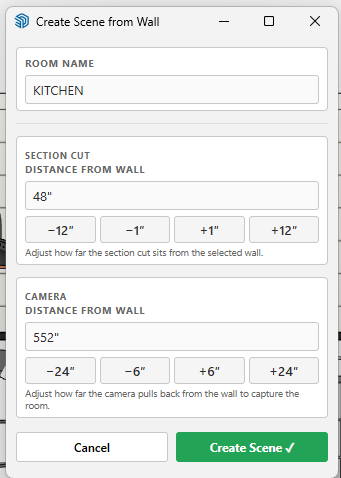
  • One-click scene alignment
  • Smart section plane management
  • Seamless LayOut integration
Scene Tool Management Interface
Scene Management
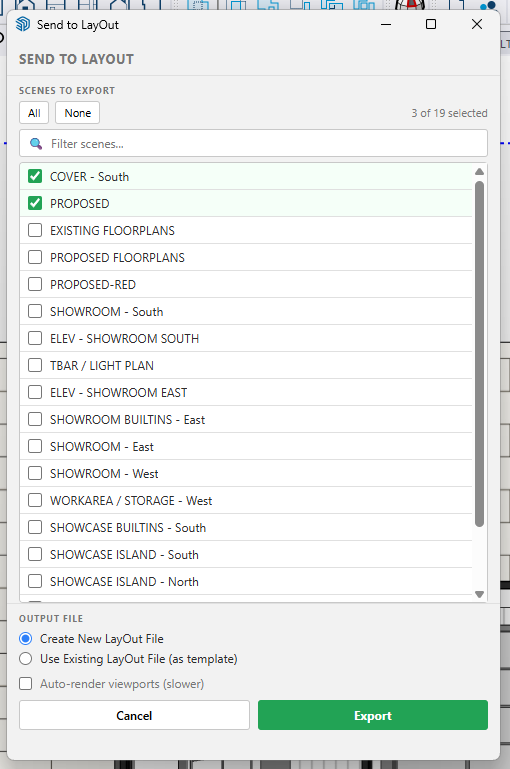
LayOut Export Options
LayOut Export

Installation

  • Download the .rbz file below.
  • In SketchUp, go to Extensions > Extension Manager.
  • Click Install Extension and select the file.

Uninstallation

  • In SketchUp, go to Extensions > Extension Manager.
  • Locate Scene Tool and click Uninstall.
  • Important: Make sure to reboot after uninstallation.

How to Use

Access tools via Extensions > Rujirama > Scene Tool or the toolbar:

Scene Alignment Tool
  • Activate the tool and select a face in your model.
  • Adjust the section cut and camera distance in the dialog.
  • Click Create Scene to save and align instantly.
Send to LayOut Tool
  • Click the icon and select the scenes you wish to export.
  • Choose a new file or pick an existing LayOut template.
  • Click Export to generate your multi-page document.